Custom Scroll Control for Synchronized Scrolling. — When I did this week's #workoutwednesday challenge, I learned how to use the Index-Formula to filter measures within a view to create the BANs in my viz (click the image to play with the interactive version on Tableau Public). Probably not too spectacular to many of you.
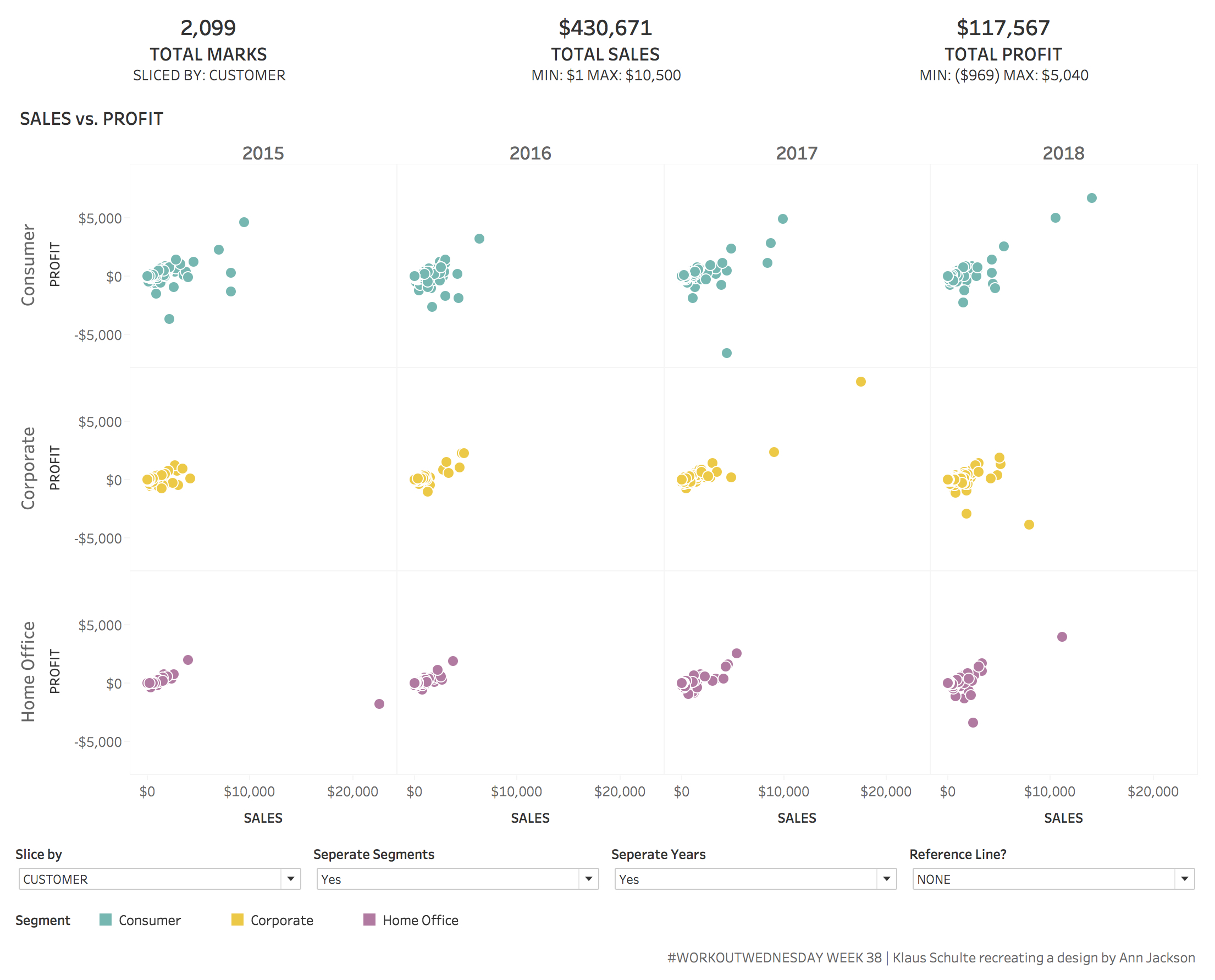
When I was thinking about this new finding I remembered a discussion on twitter where some guys discussed their need for synchronized scrolling in multiple sheets on their business dashboards. There is also an idea in the Tableau Community Forum to implement this as a standard feature in upcoming Tableau versions with already lots of votes.
I used my new knowledge about the index-formula to create a workaround for such a synchronized scrolling like in this example (click to play with the interactive version on Tableau Public).
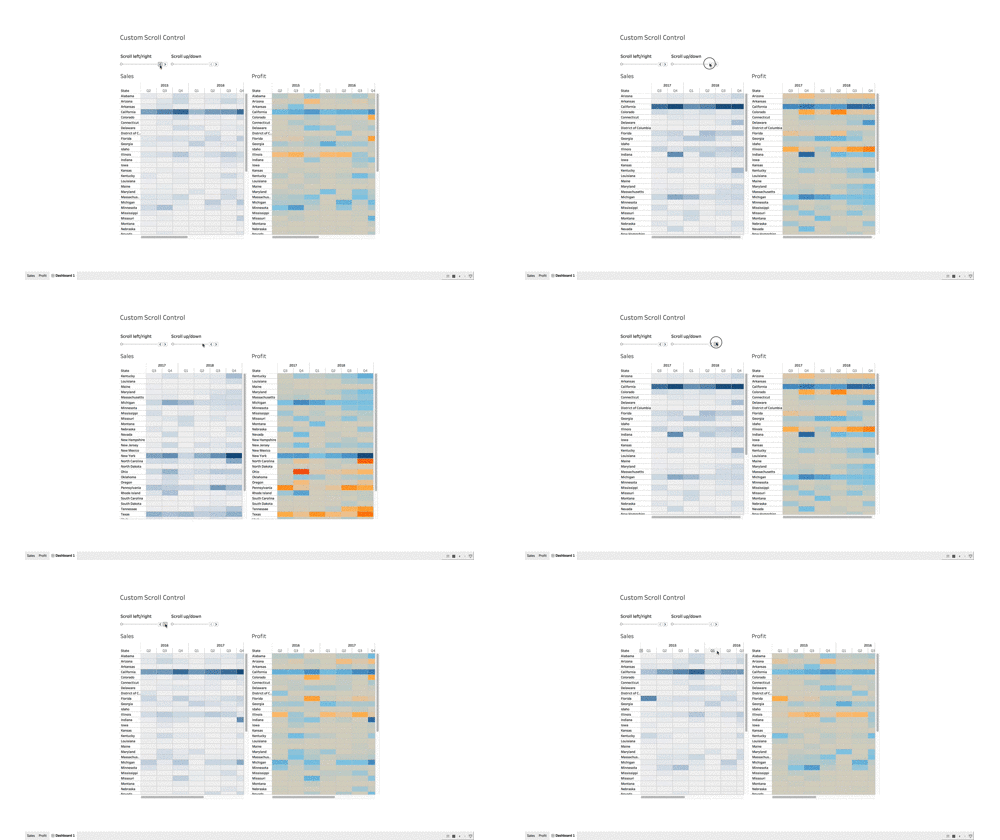
(There are for sure better ways to visualize Sales and Profit, so please take this visualization just as an example.)
If you have two or multiple tables or graphs with the same granularity (imo the only case where synchronized scrolling does make sense) und you feel the need for this, just implement the following few formulas in your viz:
1. Create two index formulas
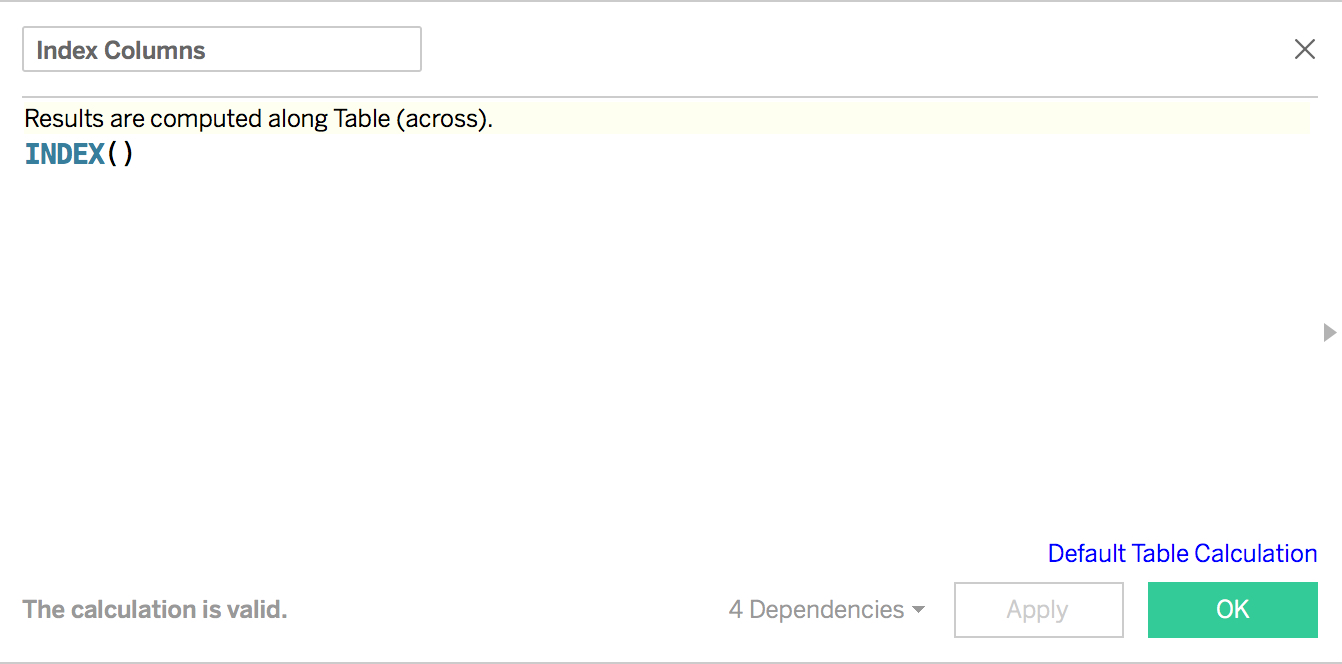
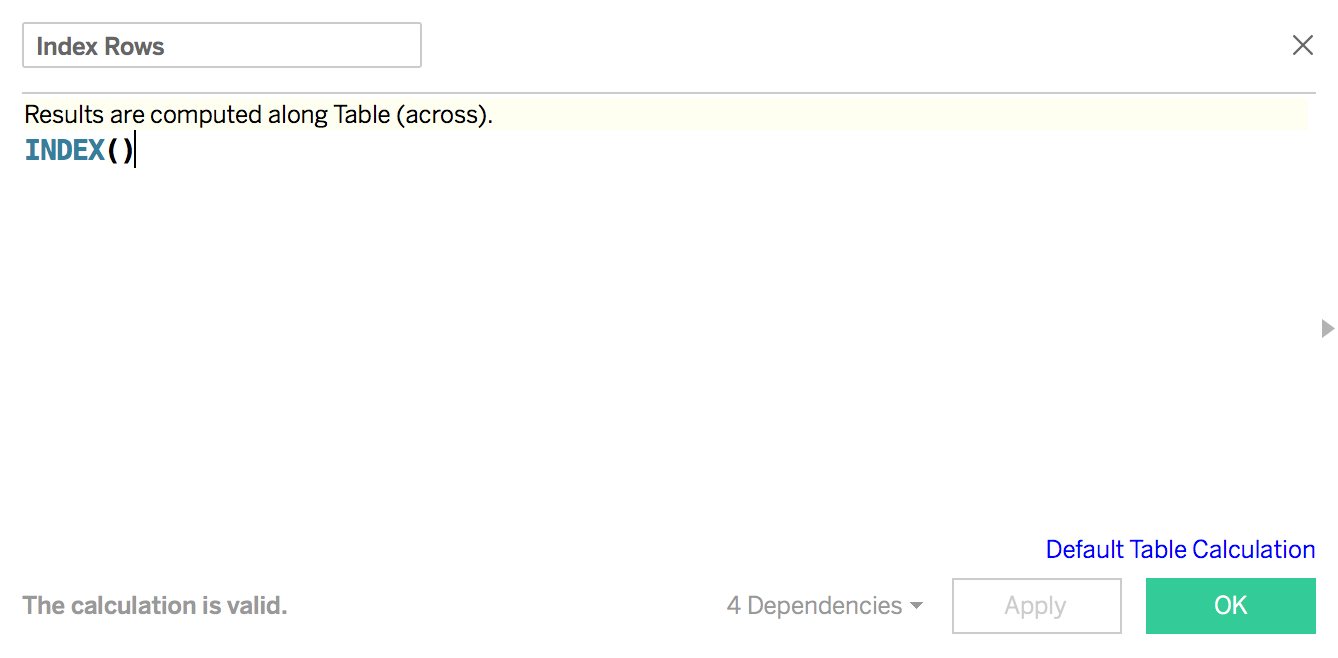
and make them discrete.
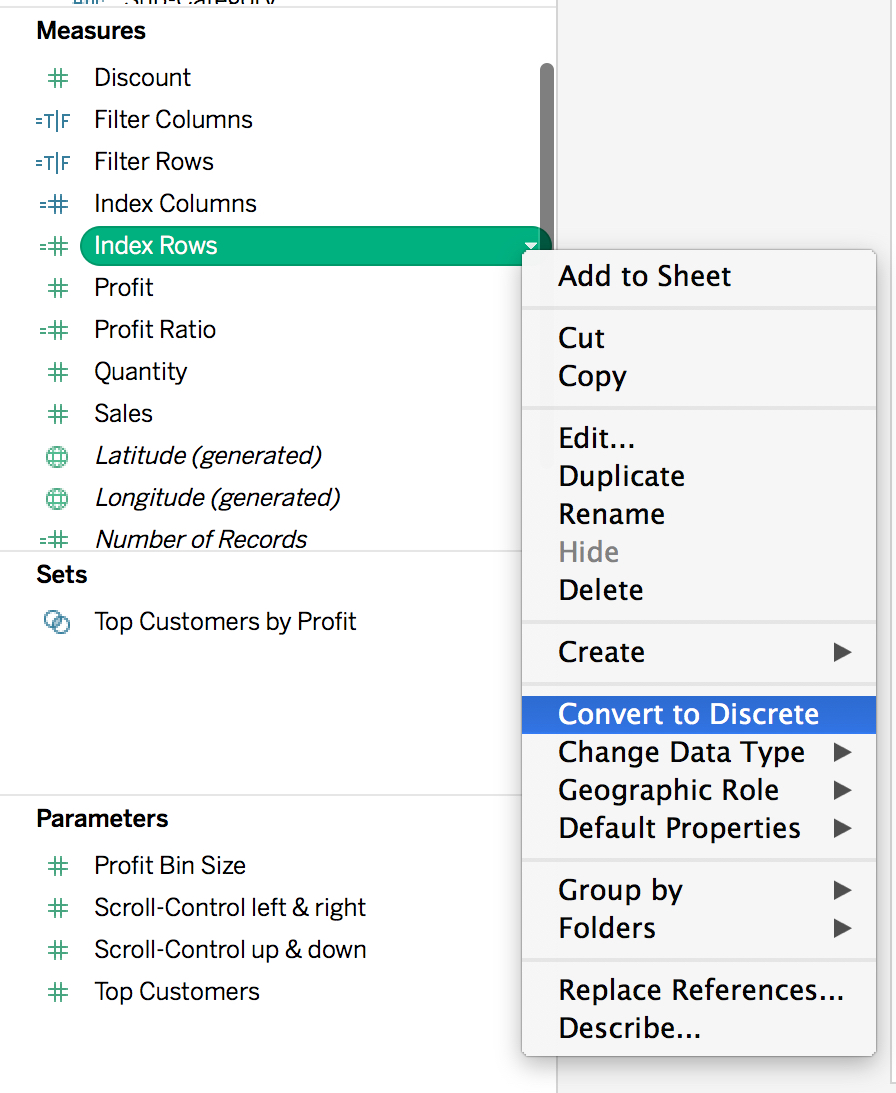
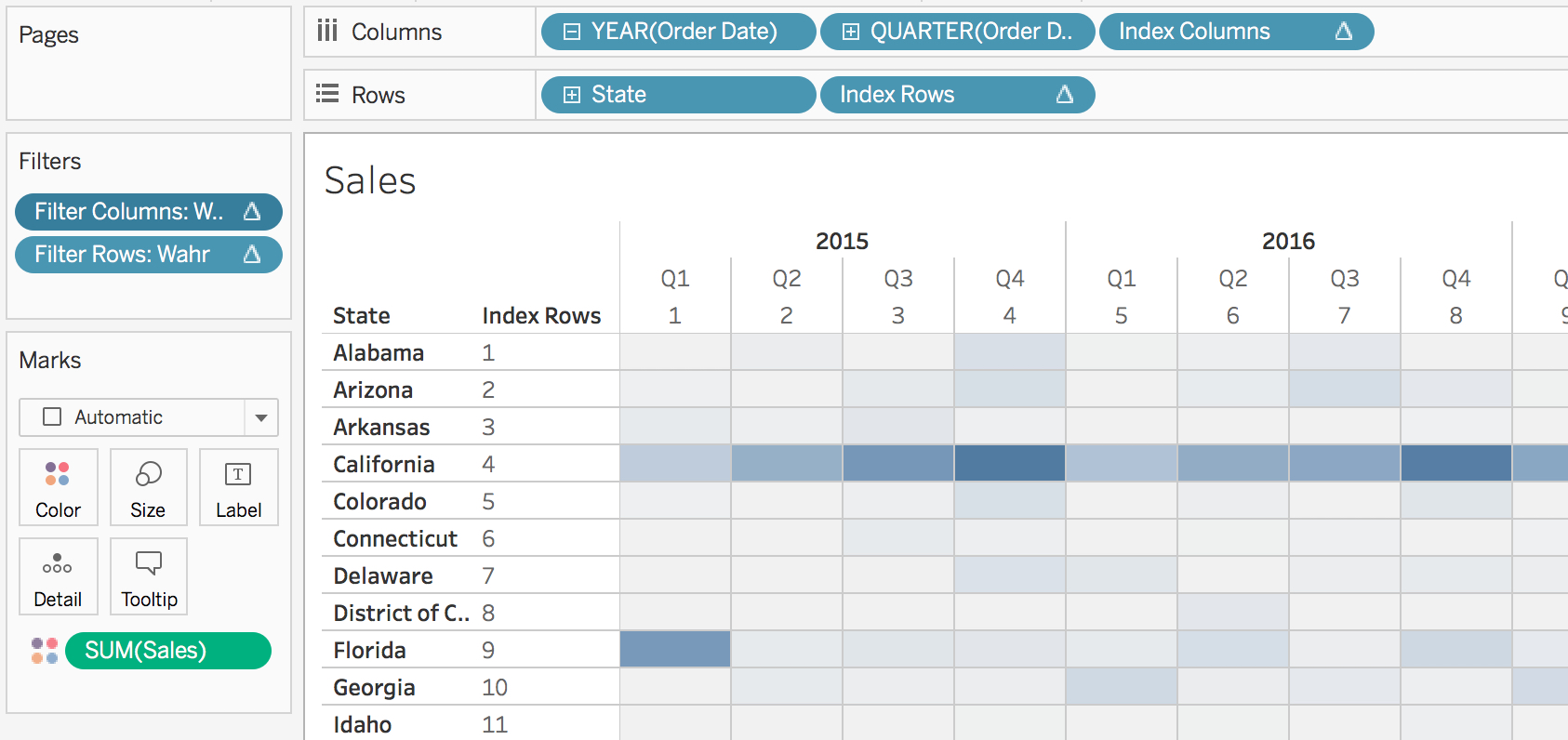
2. Add both formulas to your viz
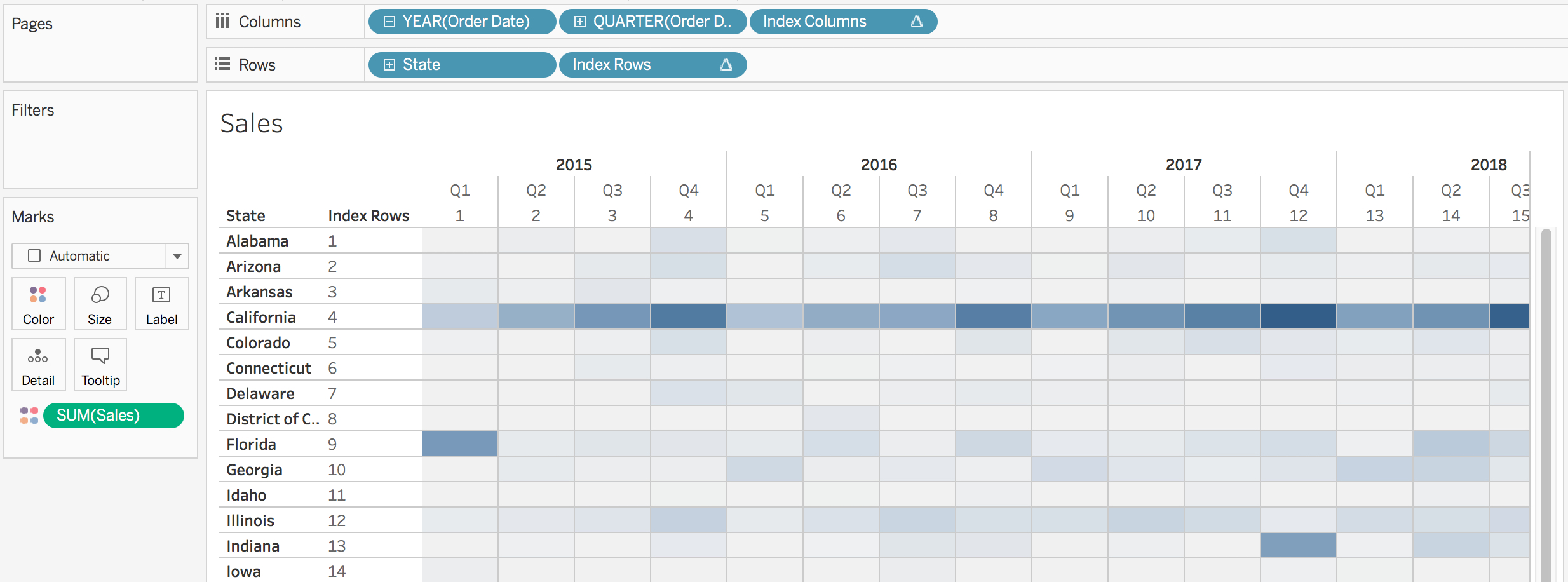
Make sure that Index Columns is computed across the table and Index Row down the table.
3. Create two "Scroll-Parameters"
Create two parameters like this one:
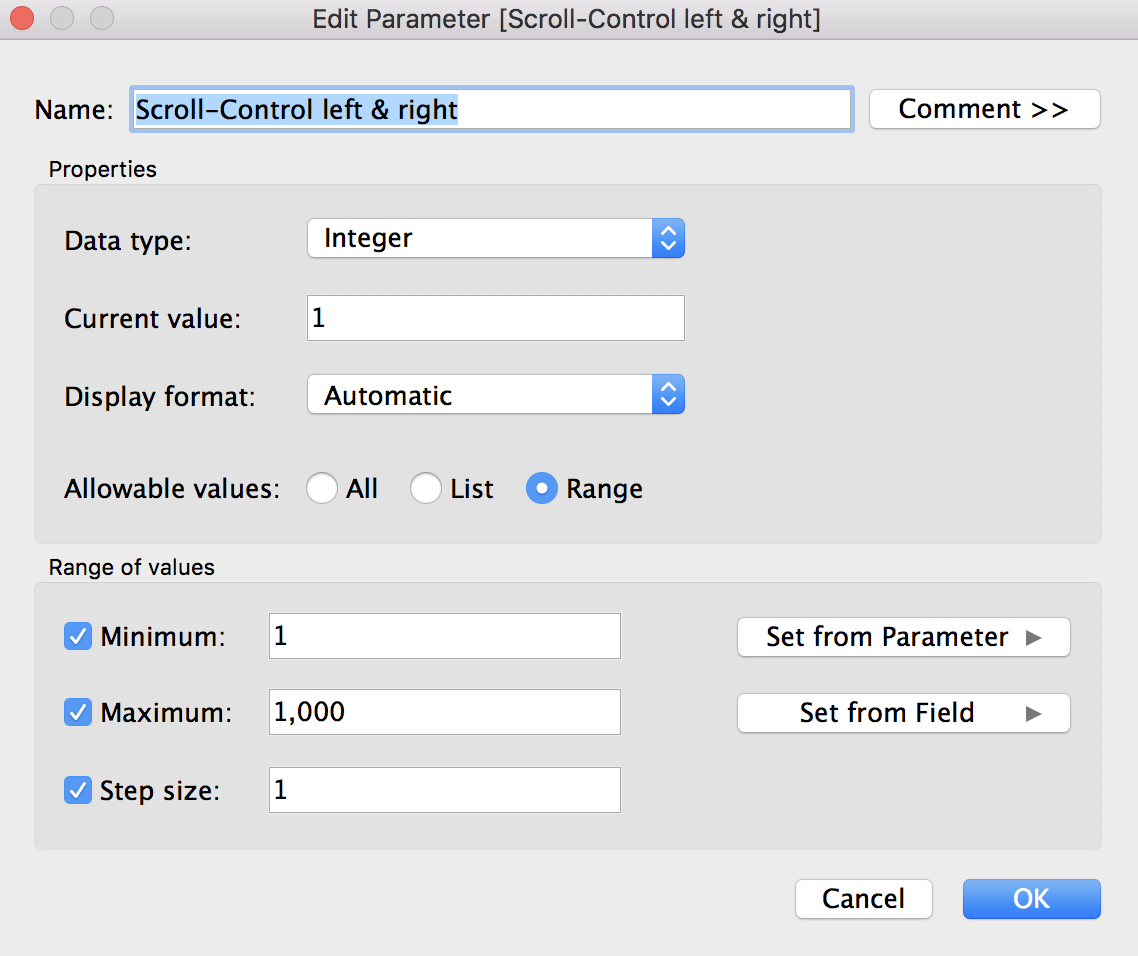
Note: It has to be a range-parameter to get the little arrows for controlling the parameter.
4. Create conditional filters
That's the trick: with this custom scroll control you don't actually scroll but filter rows and columns out of the viz.
Create two boolean calculations to filter the viz on Index Column and/or Index Rows:
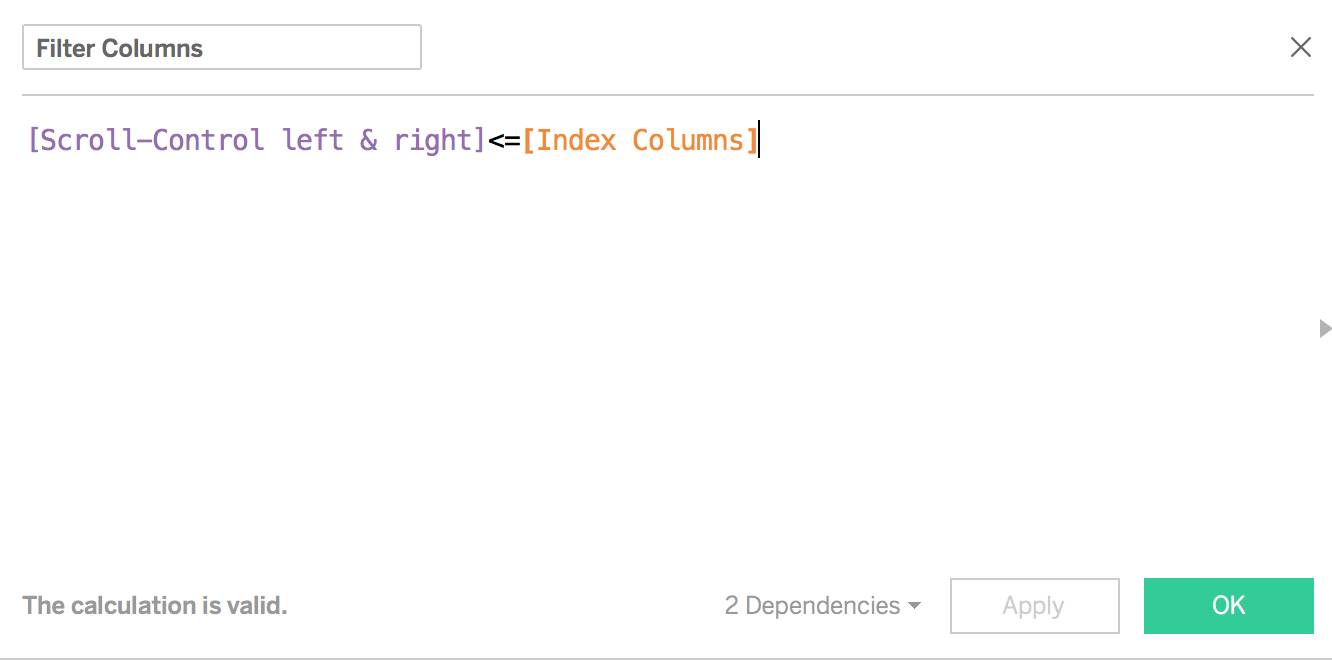
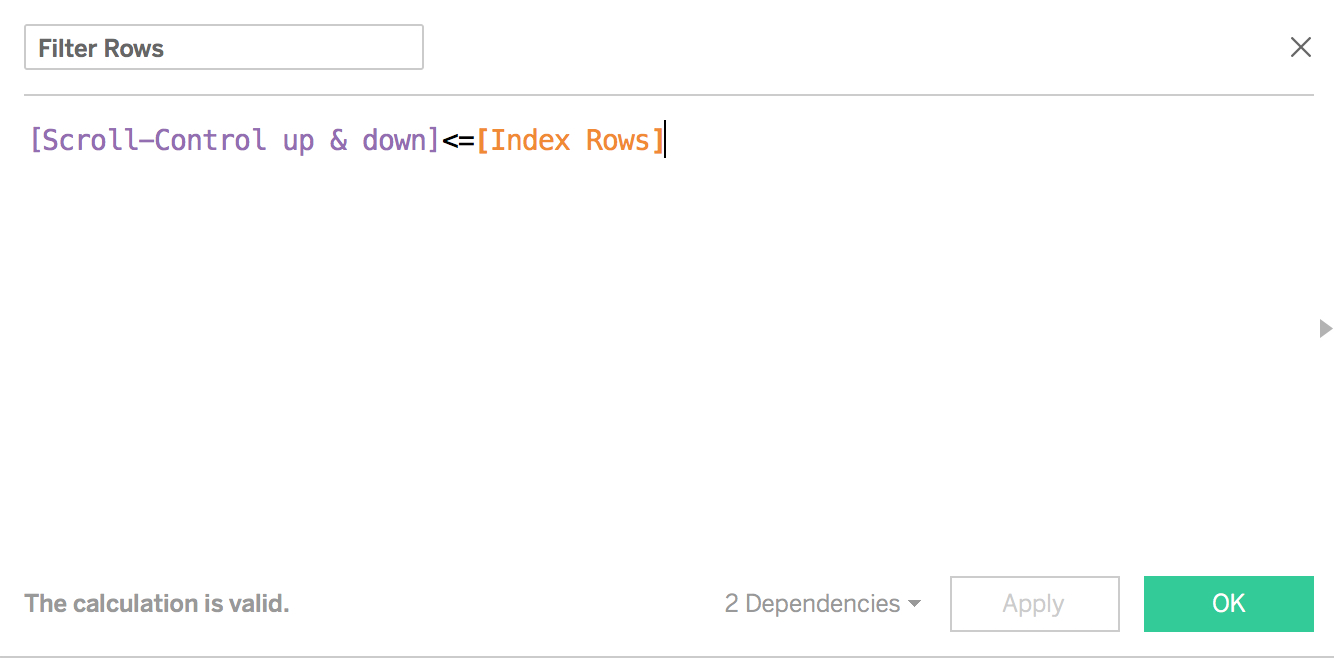
5. Bring the filters to your viz
Make again sure that the filter Index Columns is computed across the table and the filter Index Row is cumputed down the table. Both boolean calcs have to be 'true'.
6. Implement Custom Scroll Control for Synchronized Scrolling
Create the dashboard. For the real look and feel make sure that your tables or vizzes have same widths and heights. I hid the headers for the index-dimensions and customized the parameter not showing the readout box.
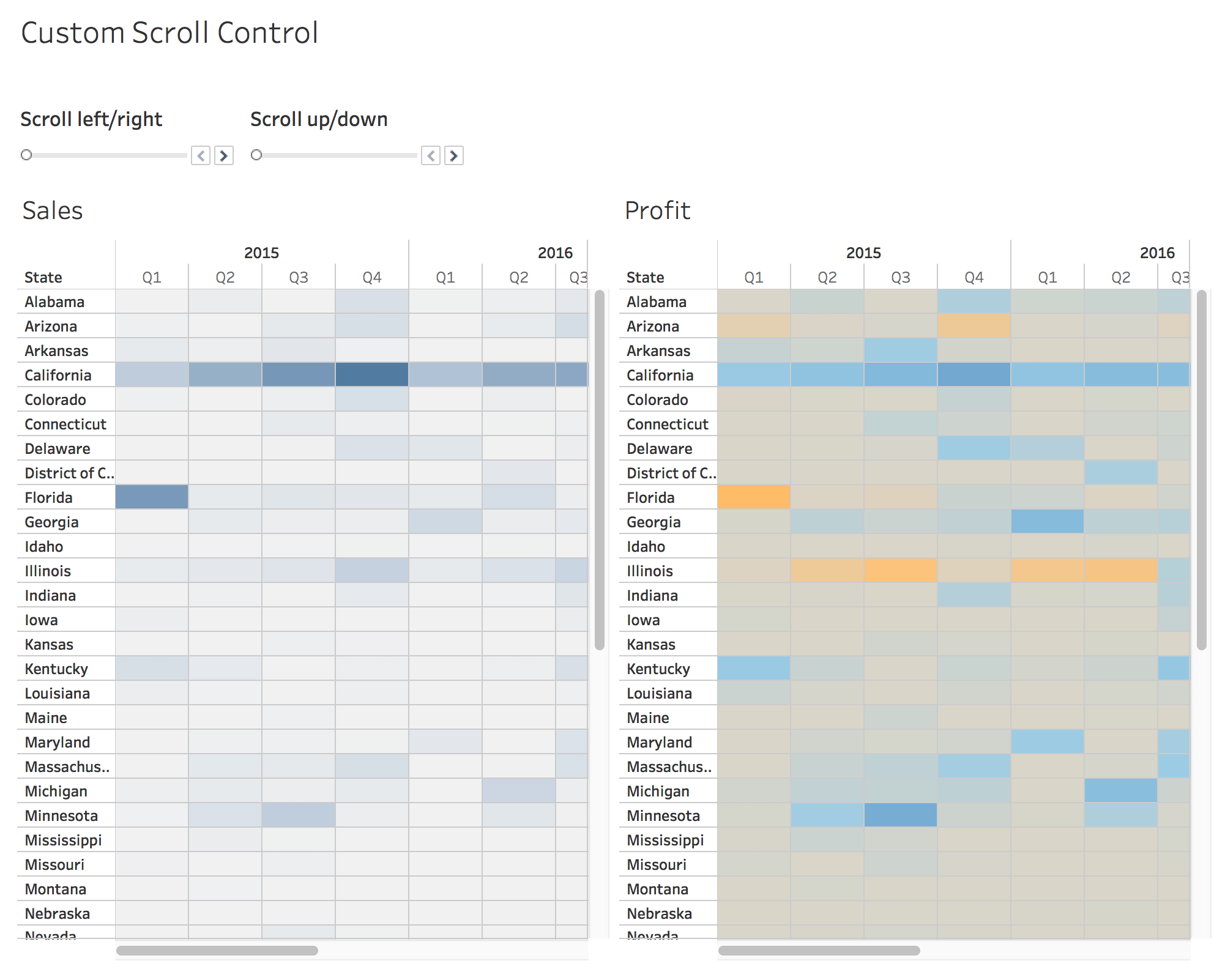
That's it.
Custom Scroll Control for Synchronized Scrolling: A quite simple approach, I wouldn't be surprised if it has been 'invented' before (but haven't searched for it).
Hope you enjoyed reading and find use cases for this!